FaxTalk® software for Microsoft Windows® lets you send and receive faxes in real-time using a fax modem or a T.38 SIP fax service. You can use FaxTalk with a traditional phone, or cable/VoIP phone with a fax modem or eliminate the phone lines and modem hardware by using a T.38 SIP internet fax service.
FaxTalk software is the perfect replacement for your aging fax machine, expensive fax service or fax software like Windows Fax & Scan and WinFax PRO®
Fax for Healthcare
FaxTalk fax software is perfect for independent pharmacies, dental offices, doctors’ offices and other health care providers that rely on faxing.
FaxTalk can fax directly from your custom healthcare Microsoft Windows application. Use standard fax modems or use one of many compatible HIPAA compliant T.38 internet fax services.
Fax for your business
FaxTalk fax software is perfect for government agencies, educational institutions, financial agencies, lawyers, insurance brokers, realtors, construction, hospitality and retail. Whether your business relies on faxing, or you just send or receive the occasional fax, FaxTalk is the number one choice in fax software.
Storage
Domains
Sub-domains
Sub-domains
Sub-domains
Sub-domains
Your Text
FaxTalk Messenger Pro
FAX AND VOICE MAIL SOLUTION FOR HOME AND SMALL BUSINESS
High Quality Fax and Voice Mail
Send and Receive Faxes in real time plus Voice Answering Machine
Support for 1 fax voice modem or a T.38 fax line
Automatic E-mail your received faxes
Fax Broadcasting and Personalized Fax Merge
and much more...
Your Text
FaxTalk FaxCenter Pro
FAX SOLUTION FOR HOME OFFICE AND SMALL BUSINESS
High Quality Fax
Send and Receive Faxes in real time
Support for 1 fax modem or a T.38 internet fax line
Automatic E-mail your received faxes
Fax Broadcasting and Personalized Fax Merge
and much more...
Your Text
FaxTalk Multiline Server
NETWORK FAXING SOLUTION FOR YOUR BUSINESS
High Quality Fax Network Solution
Send and Receive Faxes in real time plus Voice Answering Machine
Support up to 8 fax voice modems and T.38 internet fax lines
Automatic E-mail your received faxes
Fax Broadcasting and Personalized Fax Merge
and much more...
Fax as easy as printing
Faxing is as easy as printing. Fax from any program designed for Microsoft Windows® that can print. Combine multiple documents from various programs into a single fax. You can send and receive faxes in the background without interrupting your work.
Replace WinFax PRO
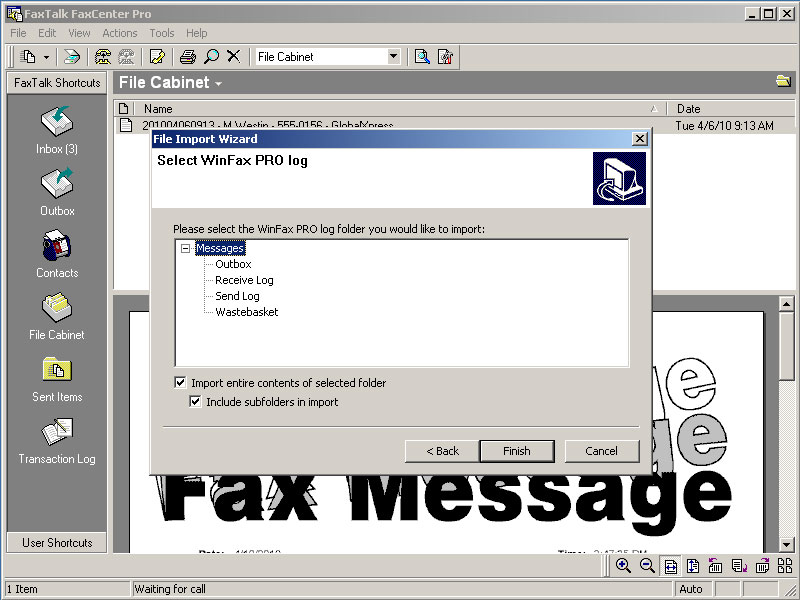
FaxTalk is the perfect fax software replacement for the popular and discontinued WinFax PRO® or Microsoft Windows Fax & Scan. FaxTalk is similar to the operation of WinFax PRO and FaxTalk can also import WinFax PRO® phone books and faxes.
Automatically forward faxes as PDF
Faxes can be automatically forwarded to any e-mail address as a multi-page PDF document.
Built in IMAP and SMTP support to send e-mail directly from FaxTalk. Also support of MAPI32 clients such as Outlook 365 and Mozilla Thunderbird
Advanced Features
includes features such as T.38 Internet Fax, Network Fax Sharing, Color faxing, V.34 (Super G3) High Speed Fax, Photo-Quality output, Automatic e-mail forwarding, Voice Mail, Caller ID, Distinctive Ring, Notifications, PDF fax document support, Automatic Receive, Automatic Printing and much more.
Help and Support
When you purchase software from GetFaxing.com you receive technical support from GetFaxing.com and Thought Communications.
Choose how to send and receive your faxes.
Use your traditional land-line or broadband land-line. No need to ‘port’ or change your existing fax number. Works with AT&T®, BT®, Verizon®, Bell®, Telus®, Telstra®, Vodafone®, Vonage®, Comcast®, U-Verse®, Rogers®, Time Warner® any many others.
Also compatible with VoIP SIP T.38 Fax services such as VoiceMeUp, Cloudli, Voip.ms, CallCentric and T38fax.com and other providers.
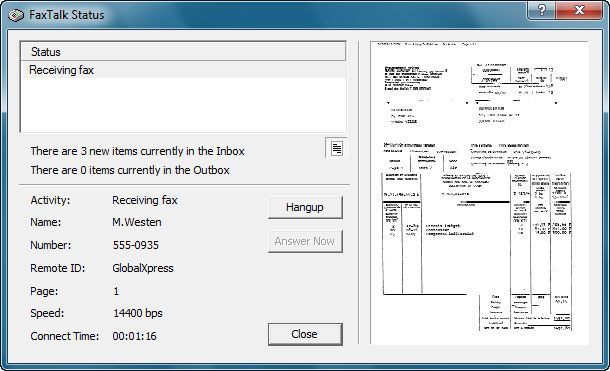
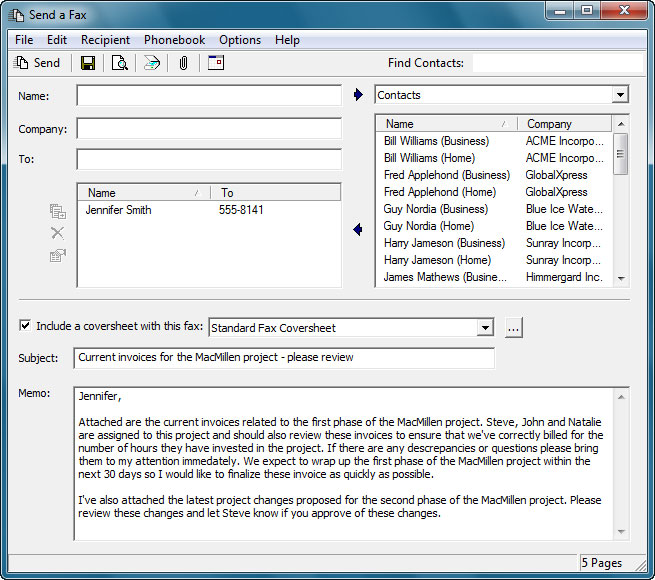
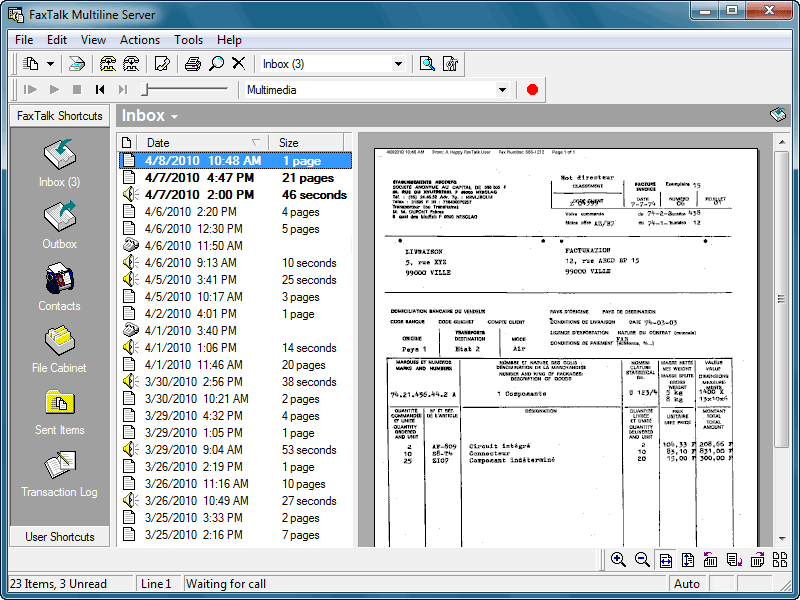
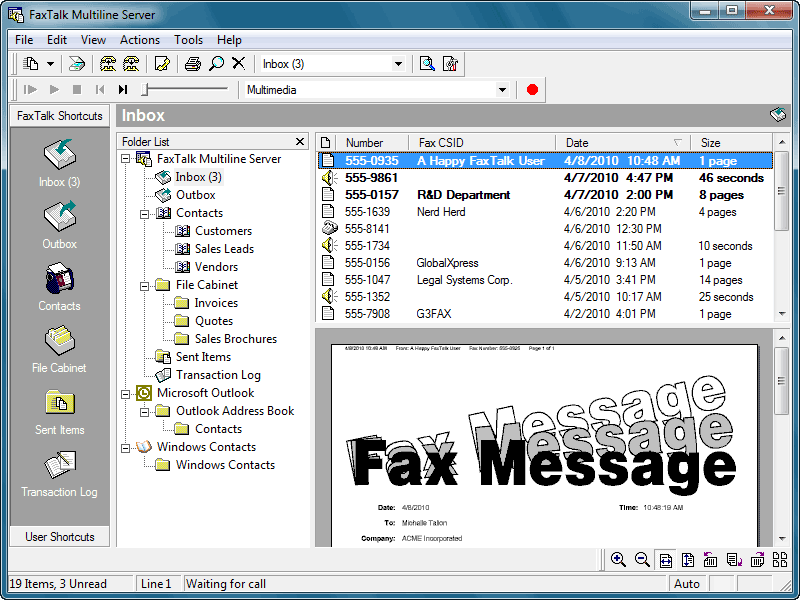
FaxTalk Software Screenshots

Try FaxTalk Fax Software free for 15 days.
Download a free 15 day trial of the FaxTalk software. Why waste time at the fax machine when you can turn your computer into a powerful communications center with full-featured fax capabilities. Try it free! We’ll also help you setup if you have any questions. Your trial will also include links to sign up for a free trial of T.38 internet fax service.
Fax Merge Add-in for Microsoft Word
Add mail merge fax capabilities when you bundle FaxTalk Fax Merge Add-in for Microsoft Word with any FaxTalk software product. Create and fax your personalized fax broadcasts directly from Microsoft Word. Use contact lists from Microsoft Access, Microsoft Excel spreadsheets, CSV, DBF, TXT and other Office or ODBC connected databases. Add quick click fax icons to your Microsoft Word ribbon interface.
Watch the Fax Merge Demo Video
Free Fax Trial ↗
Download your free 15-day trial of FaxTalk software. You’ll also receive a link for an optional free trial of T.38 fax internet service.
Upgrade Pricing ↗
Own an older version of FaxTalk? You can purchase FaxTalk upgrades at discounted prices. Check our upgrade offers here.
FAQ ↗
Need more information about FaxTalk software? Check out our Frequently Asked Questions page or send us a message.